Quick Verdict
- What Photoroom is. A mature Photoroom AI photo editor for e-commerce, available on the Photoroom web app, iOS, Android and desktop (Photoroom pc download). Strongest on Photoroom background photos and studio shots at catalog scale.
- Photoroom pricing starts at $7.50/mo yearly (Pro, 8,000 credits / 1,000 exports) and goes to $82.50/mo yearly (Ultra). Enterprise is sales-led.
- On-model / virtual try-on is paywalled on the free plan. Amplyar puts it on the free plan.
- Ad videos are Max-only ($20.99/mo yearly). Amplyar includes them on the entry paid plan ($9/mo).
- Ad creatives on Photoroom cover an Instagram Story template only, no dedicated ad-banner or infographic templates library.
- Photoroom is tool-based. Separate tool to remove background, separate for shadows, separate for retouch. A real pipeline you have to learn. Amplyar is one-click for sellers, not a photo-professional workbench.
Feature Comparison
| Feature |  |  |
|---|---|---|
| AI product photos (studio backgrounds) | Yes | Yes |
| On-model / virtual try-on | available on the free plan, jewelry and accessories supported | paywalled, not on the free plan |
| Ghost mannequin | Yes | Yes |
| AI ad banners and infographics | dedicated banner + infographic templates library | Instagram Story template only |
| Ad videos | included on the entry paid plan ($9/mo) | Video Generator on Max ($20.99/mo yearly) and up |
| 4K generation | on all paid plans | Ultra only ($82.50/mo yearly) |
| Model Maker (custom AI model of your product) | Yes | Yes |
| MCP access via Claude / ChatGPT | Yes | Yes |
| Watermark | Small corner mark on free, removed on any paid plan | Removed on paid plans |
| Commercial rights | Included on all paid plans | Included on all paid plans |
| Sold as | One-click flows for sellers (out of the box) | Tool-based workbench (separate tools per operation) |
Photoroom Pricing Breakdown (2026)
Photoroom pricing runs on a monthly credits + exports budget. Credits refresh monthly, no rollover. The Photoroom pricing page loads with Yearly preselected, so the first numbers you see are the annual rates.
| Plan | Monthly | Yearly (per month) | Credits / mo | Exports / mo | Highlights |
|---|---|---|---|---|---|
| Free | $0 | $0 | Not documented | Not documented | Basic Photoroom AI tools, watermarked exports, no on-model |
| Pro | $12.99 | $7.50 | 8,000 | 1,000 | Background Remover, Retouch, AI Product Fixer, AI Shadows (Presets), AI Fill, AI Expand/Resize, Image Enhancer. No Video Generator. No 4K. Up to 50 seats. |
| Max (Most Popular) | $34.99 | $20.99 | 25,000 | 3,000 | Everything in Pro + Video Generator (up to 50 gens/mo) + Shopify integration. Still no 4K, no Adjustable AI Shadows. |
| Ultra | $99.00 | $82.50 | 75,000 | 10,000 | Everything in Max + 4K image/video + Video Generator up to 150 gens/mo. Adjustable AI Shadows still excluded. |
| Enterprise | Custom | Custom | Custom | Custom | Ultra + Adjustable AI Shadows, Visual QA, SLA, SSO, Photoroom API. Sales-led. |
Last verified: 2026-09-07.
Photoroom pricing vs Amplyar at entry. Photoroom's Pro plan is $1.50/mo cheaper than Amplyar's Basic ($9/mo yearly) at the dollar level. If all you need is studio background photos on a moderate volume, that math is in Photoroom's favor. The trade-off is on the feature side: Photoroom Pro does not include the Video Generator or 4K, and on the free plan Photoroom's on-model / virtual try-on is not available at all. Amplyar's $9 Basic plan puts on-model, ad videos, ad-banner templates and 4K into the entry tier, and puts on-model on the free plan.
Photoroom Review 2026: The Complete Guide
Overview
Photoroom is a Paris-based Photoroom AI photo editor that started as a mobile background remover (Photoroom remove background is still one of the best on the market) and grew into a full e-commerce editor: batch processing, brand kits, marketplace sync, video templates. The Photoroom app runs on iOS, Android, the Photoroom web app in a browser, and there is a Photoroom pc download for desktop, so Photoroom online and offline workflows are both covered. Positioning is catalog-scale automation for merchants who ship thousands of images.
Key Features
- Photoroom background tools, remove background, replace background, batch Photoroom bg swap.
- Photoroom AI photo editor stack, AI Product Fixer, Retouch, AI Fill, AI Expand and Resize, Image Enhancer.
- AI Shadows (Presets), adjustable shadows are Enterprise only.
- Brand Kit, colors, logos, layouts, brand rules applied across a batch.
- Video Generator, short product videos from a still (Max and up, capped at 50 or 150 gens/mo).
- Shopify integration (Max and up).
- Batch processing in the Photoroom web app or via the Photoroom API on Enterprise.
- Instant Resize, adapt one image to marketplace-format variants.
How we tested it
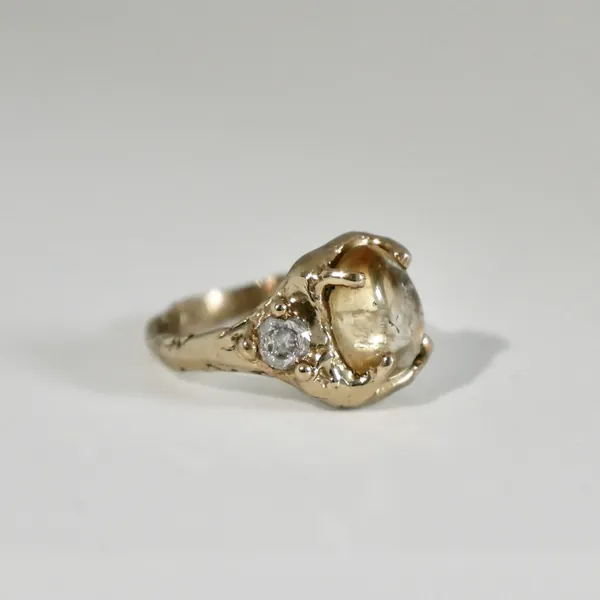
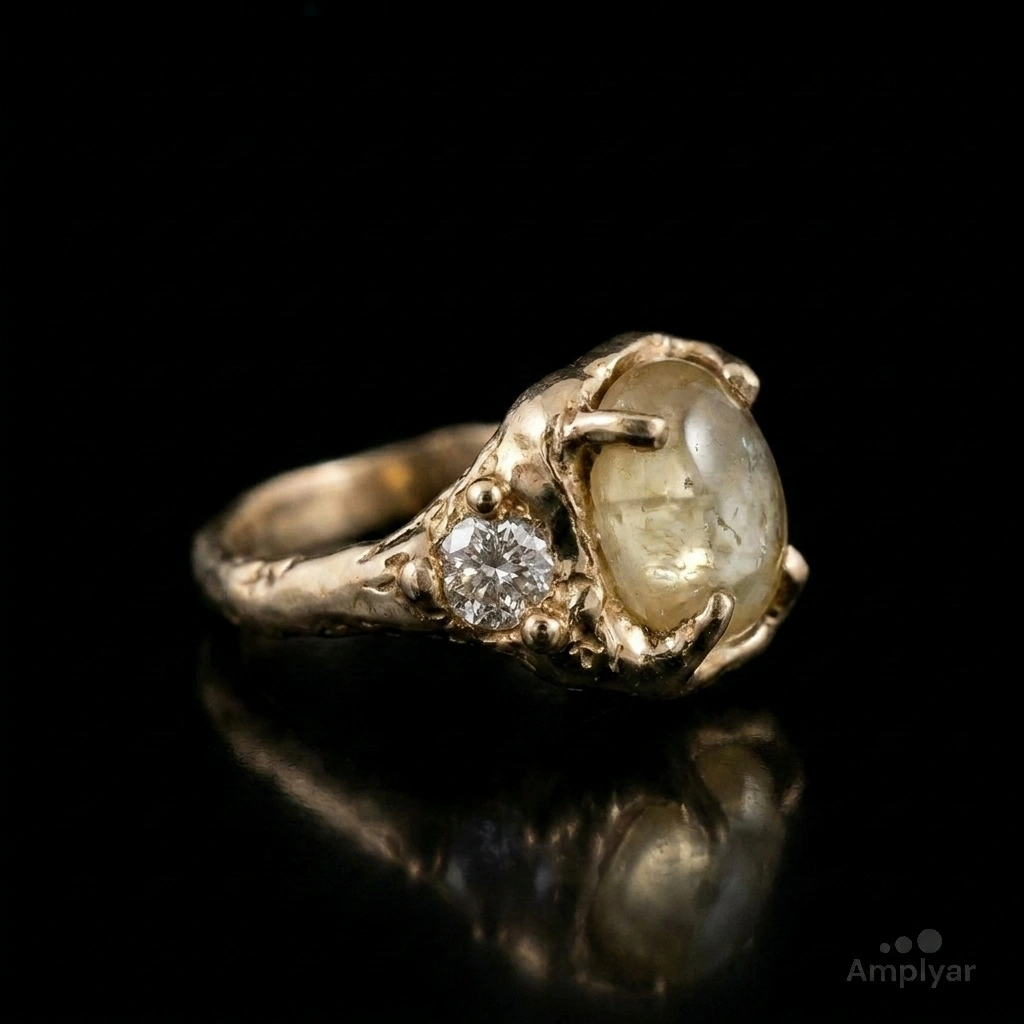
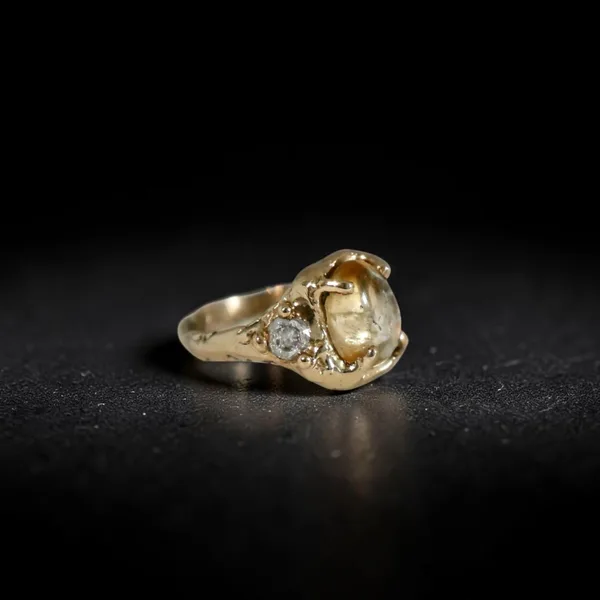
Same vintage cabochon-and-diamond ring, same free tiers where the scenario was supported, one run per tool per scenario, published in our jewelry benchmark at Best AI for Jewelry Photography in 2026. Six tools total. Photoroom's studio shot tied Amplyar at 15/15, the two best single images of the run. On-model was paywalled on the tier a first-time user tries, so we could not score it in a like-for-like free-tier comparison.
The studio shot, where Photoroom is genuinely excellent
Photoroom's studio pipeline is mature: proper contact shadow, subtle reflection, a relight pass that keeps the metal reading as metal. On the ring test it is genuinely one of the two best images of the six tools we tried, tied with Amplyar. If your workflow is shoot on a phone, drop into Photoroom, ship to Shopify, this is the shot you are paying for and Photoroom delivers it.
The on-model gap, why it matters for jewelry and accessories
This is the section every jewelry, watch or accessory seller should read before subscribing.
On the free plan, Photoroom's on-model / virtual try-on is not available. It sits behind the paywall. A first-time evaluator cannot test the very output that decides a jewelry PDP conversion. You subscribe to find out.
Amplyar takes Worn by a model on the free plan and returns a 768x1376 worn-ring shot with correct anatomy and jewelry framing, score 14/15 on the same benchmark. No paywall on the on-model output.

Ad videos and ad-banner templates, the entry-plan gap
The other axis where Photoroom's Pro tier collides with a seller workflow is video and ad creatives.
- Ad videos. Photoroom's Video Generator is on Max ($20.99/mo yearly) and Ultra ($82.50/mo yearly), capped at 50 or 150 generations per month. On Pro, no ad-video generation at all. Amplyar's $9/mo Basic plan includes ad videos in the base credit pool.
- Ad-banner templates. Photoroom ships a single Instagram Story template on the creative side. No dedicated ad-banner library, no infographic templates. Amplyar ships a full ad-banner + infographic templates library with pre-built layouts for launches, seasonal sales, retargeting, category headers and comparison infographics.
Merchants who want to ship a campaign, not just a product shot, end up doubling their tooling alongside Photoroom Pro.
Tool-based vs one-click, the workflow gap for non-photo-professionals
Photoroom is a tool-based product. A separate tool to remove background. A separate tool for shadows. A separate tool for retouch. A separate tool for AI Fill. A separate tool for Expand and Resize. Each tool is well built. A photographer who thinks in a photo-pipeline is at home in that UI.
A seller who is not a photo professional lands in a different situation. Which tool for what shot. Which order. What settings on the shadow tool for a metal object. The Photoroom AI photo editor puts the pipeline on the operator.
Amplyar is built the other way around. One flow per output. Pick "on-model" or "studio" or "ghost mannequin" or "ad banner", get the image. No shadow-tool tuning, no expand-then-retouch sequencing. Out of the box for sellers.
If you are a photo professional who wants control over each step of the pipeline, Photoroom's tool-based approach is the right shape. If you are a seller who wants the shot, one-click flows are the right shape.
Pros and Cons
Pros
- Best-in-class studio background photos, tied for the top score in our jewelry benchmark.
- Mature Photoroom remove background engine, category standard.
- Brand Kit for consistent styling across a catalog.
- Shopify direct sync on Max and up, closes the studio-to-storefront loop.
- Batch processing at real catalog scale, thousands of images in one job.
- Photoroom API available on Enterprise for engineering-led catalogs.
- SOC 2 Type 2, 50 seats on every paid tier.
- Photoroom app across iOS, Android, Photoroom web, Photoroom pc download.
Cons
- On-model / virtual try-on paywalled on the free plan, evaluators cannot validate the buy-button image before subscribing.
- Video Generator is Max only, not on the Pro plan.
- 4K generation is Ultra only.
- Ad creatives cover only an Instagram Story template, no dedicated ad-banner or infographic templates library.
- Tool-based UX, separate tool per operation, a real pipeline to learn for non-photo-professionals.
- Photoroom API only on Enterprise, sales-led.
- Free plan does not publicly document credits or export limits.
Who is Photoroom For?
Great fit if:
- You run a large catalog and your primary need is studio background photos, batch editing at scale, brand-consistent styling and Shopify publishing.
- You sell apparel or general merchandise where on-model is not the make-or-break PDP shot.
- You are comfortable with a tool-based Photoroom AI photo editor pipeline and know which tool goes where.
Less good fit if:
- Your category is jewelry, watches or accessories where the on-model shot has to focus on the piece, and you want to validate it on the free plan before subscribing.
- You need ad videos on the entry paid plan.
- You need a dedicated ad-banner and infographics templates library, not a single Instagram Story layout.
- You are a seller, not a photo professional, and you want one-click flows instead of a multi-tool pipeline.
Amplyar vs Photoroom, the 2026 showdown
1. Pricing, Photoroom wins at the dollar level, Amplyar wins on what is included at each tier
| Tier | Amplyar (yearly) | Photoroom (yearly) | Notes |
|---|---|---|---|
| Entry paid | $9/mo, Basic | $7.50/mo, Pro | Photoroom cheaper by $1.50/mo. Amplyar's $9 tier includes ad videos, 4K, ad-banner templates and on-model. Photoroom's Pro tier does not include any of the four. |
| Mid tier | $31/mo, Pro | $20.99/mo, Max | Photoroom cheaper. Amplyar Pro still includes 4K generation and the full ad-banner + infographic templates flow in the base plan. Photoroom Max still lacks 4K (Ultra only) and still ships only the Instagram Story template on the creative side. |
| Top self-serve | $79/mo, Scale | $82.50/mo, Ultra | Comparable dollar tag. |
Credits do not translate 1-to-1 across tools (a credit buys different image counts on different products), so this table compares $ and what the plan actually unlocks, not credit-to-credit volume.
The honest read on Photoroom pricing: at the dollar level Photoroom is the cheaper entry. If you only need studio background photos and Shopify sync, that math is in Photoroom's favor. The moment your workflow needs on-model on the tier you evaluate on, or ad videos on the entry paid plan, or an ad-banner templates library, the tier that gets you those features changes the arithmetic.
2. Features, where the two products diverge
| Feature | | |
|---|---|---|
| On-model / virtual try-on on the free plan | Yes | paywalled |
| Ad videos on the entry paid plan ($9/mo) | Yes | Video Generator only on Max, $20.99/mo yearly |
| Ad-banner + infographic templates library | full library | Instagram Story template only |
| 4K generation on the entry paid plan | Yes | Ultra only, $82.50/mo yearly |
| Ghost mannequin | Yes | Yes |
| Model Maker | Yes | Yes |
| MCP (Claude / ChatGPT) | Yes | Yes |
| One-click seller flows vs tool-based pipeline | one flow per output | separate tool per operation |
3. Quality, same studio test, tied at the top
| Scenario | Amplyar | Photoroom | Winner |
|---|---|---|---|
| Studio on black (1:1) | 15/15 | 15/15 | Tie, the two best single images of the six tools tested |
| Worn by model (9:16) | 14/15 | Paywall | Amplyar (on-model not available for like-for-like test on Photoroom's free tier) |
Final Verdict
Photoroom, 4.0 / 5. A mature Photoroom AI photo editor that leads the category on studio background photos, Photoroom remove background at scale, brand-consistent batch editing and Shopify sync. The gap for jewelry, watch and accessory sellers is category fit and plan structure: on-model is paywalled on the free plan, ad videos are Max only, ad creatives cover only an Instagram Story template, and the UX is a tool-based pipeline for photo professionals rather than one-click flows for sellers. For merchants researching Photoroom alternatives, we would recommend a tool built for the seller workflow, including our own.
Which Should You Choose?
Choose Photoroom if:
you run a large catalog whose primary need is studio background photos, batch editing at scale, brand-consistent styling and direct Shopify publishing, and you are comfortable running a multi-tool photo pipeline.
Choose Amplyar if:
you sell jewelry, watches or accessories and want to validate on-model on the free plan, you want ad videos on the entry paid plan, you want a real ad-banner and infographics templates library, and you want one-click seller flows instead of a photo-professional workbench.
Amplyar is our product and one of the tools reviewed here. Scores and features come from public benchmarks and pricing pages; every yes/no mark in the Photoroom column is sourced from Photoroom's own pricing page or from our published jewelry benchmark.